
Live Jira progress on your Confluence pages
Progress bars for Jira epics, releases and saved filters, colored like in Jira and live for every reader. Dated snapshots for readers without Jira, and two macros that need no Jira at all.
Free for Confluence sites with up to 10 users. Larger sites start with a free trial.
What you get
Screenshots from a real Confluence site with sample data.
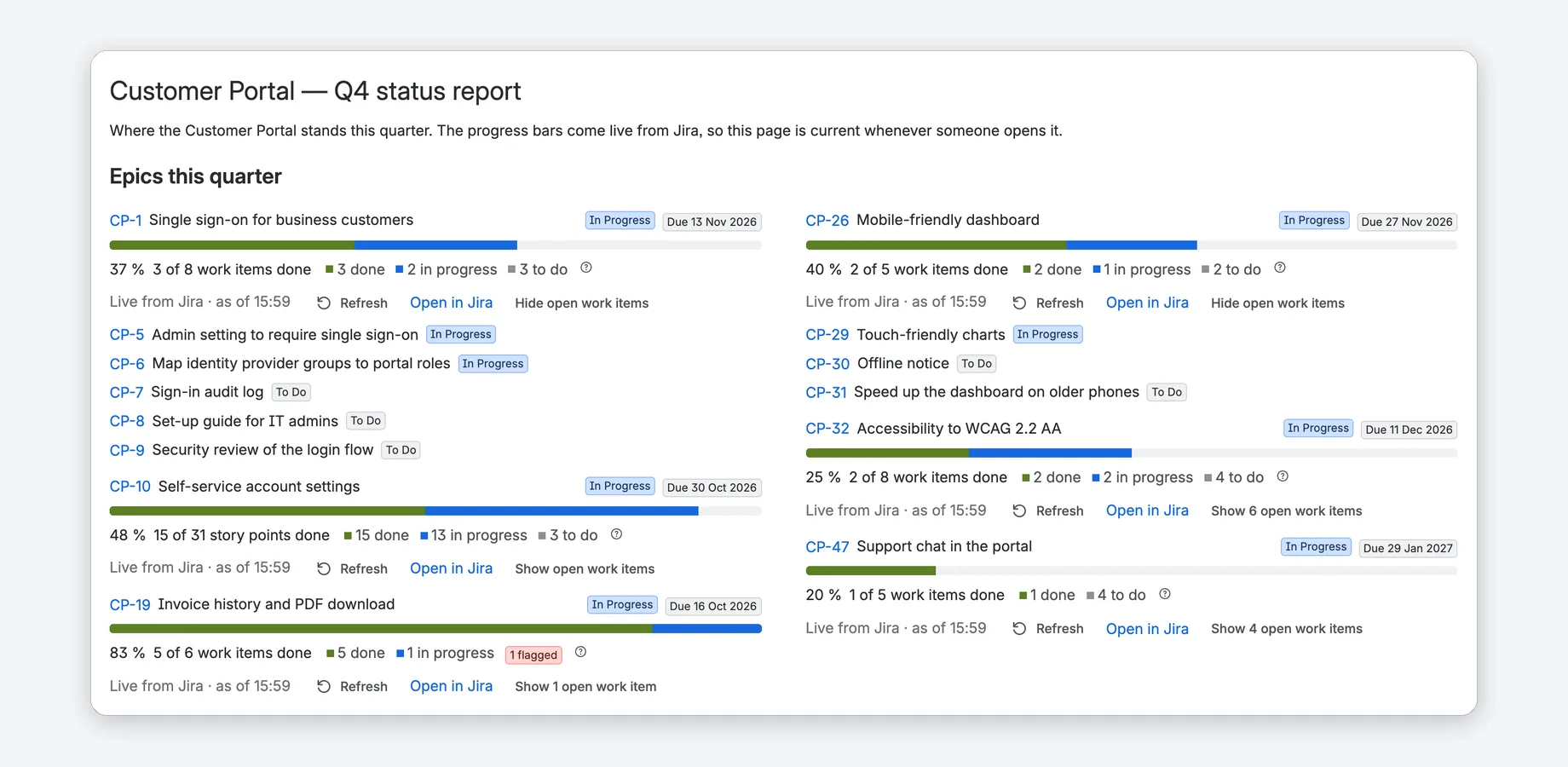
Epic progress, live on any page
Add Epic Progress from the / menu and pick the epic. The bar shows what is done, in progress and to do, colored like in Jira.
- Count work items or story points, with “4 of 8 work items done” next to every percent.
- Status, due date, flagged work and up to 25 open work items.
- Every reader sees the numbers their own Jira permissions allow.
Releases, filters and lists of epics
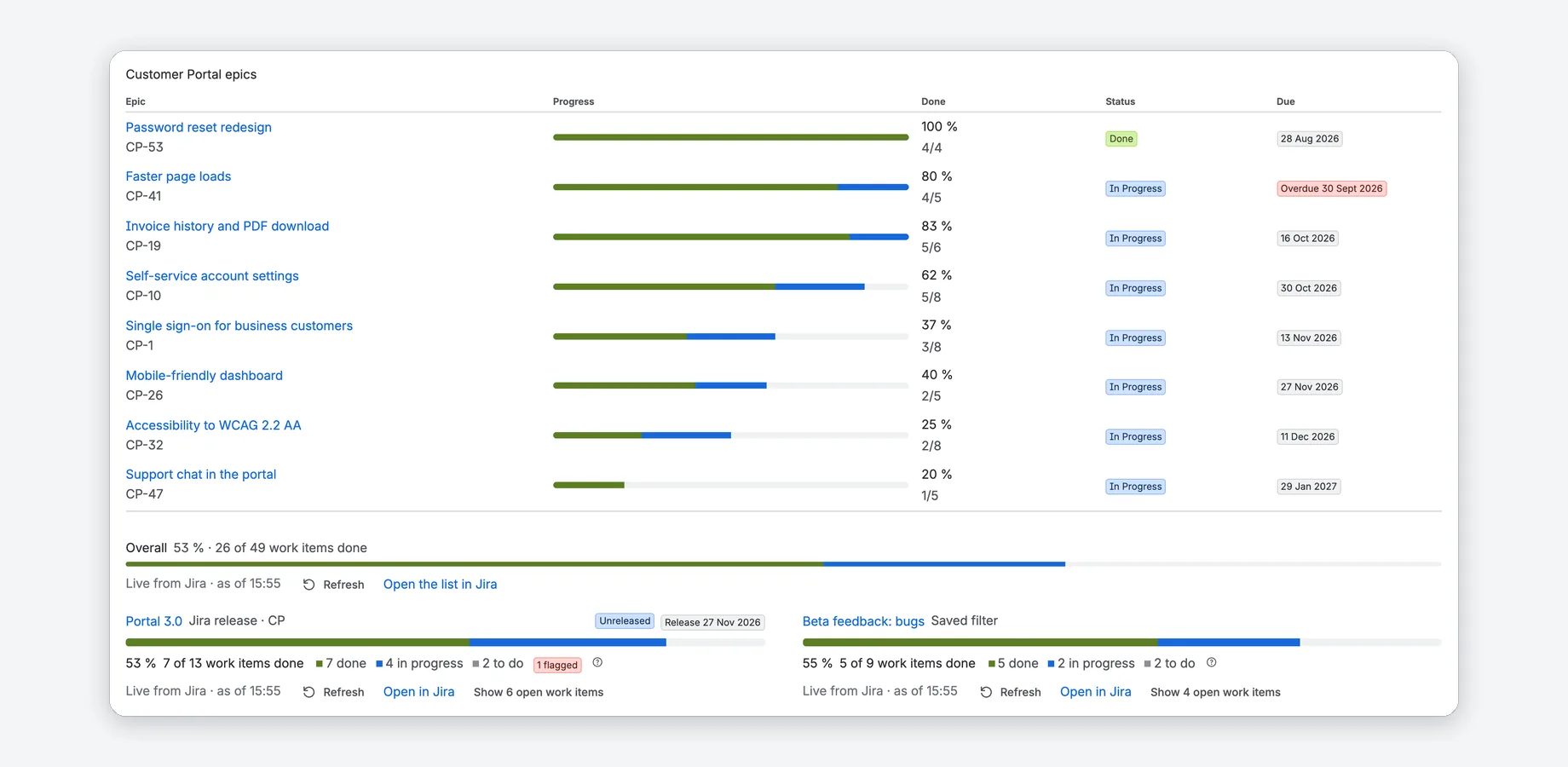
Jira Progress shows a project, a release (fix version), a saved filter or a JQL search. Progress List shows several epics with an overall row.
- All epics of a project, the epics of an initiative or your own pick.
- Least progress or earliest due date first.
- Release dates, in red when an unreleased version is past its date.
Status reports for readers without Jira
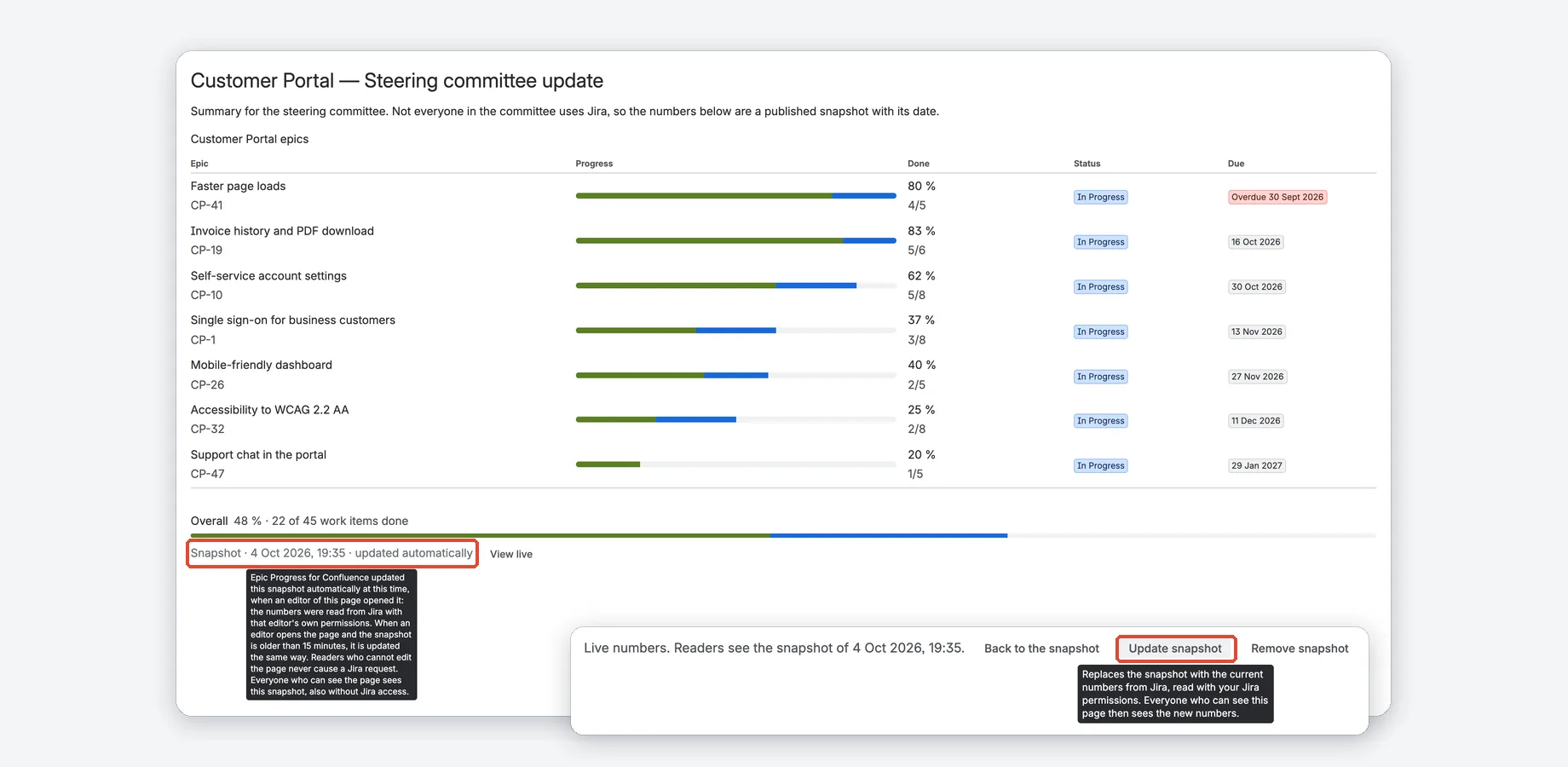
An editor with Jira access publishes a dated snapshot with one click. Everyone who can see the page sees it, also without Jira.
- Editors’ visits keep its numbers current, at most every 15 minutes, with the editor’s own Jira permissions.
- Reading a snapshot never causes a Jira request.
- No assignees or account IDs. Editors can remove it at any time; admins can turn snapshots off.
Settings with a live preview
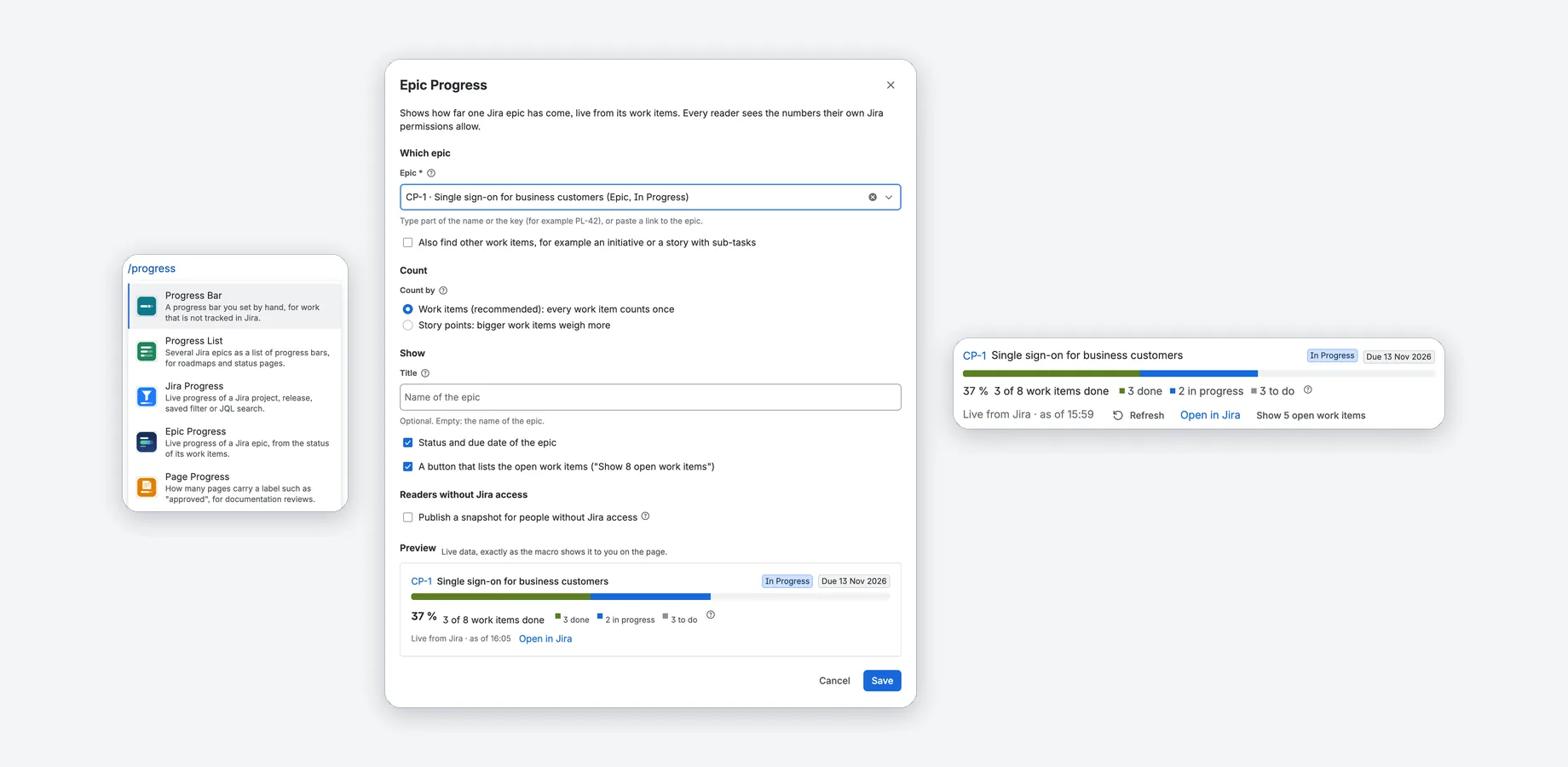
Type /progress and pick one of five macros. Every field has a short explanation, and the preview shows the macro with live data before you save.
- Search pickers for epics, projects, releases, filters and spaces.
- Save checks the settings first and names what is missing.
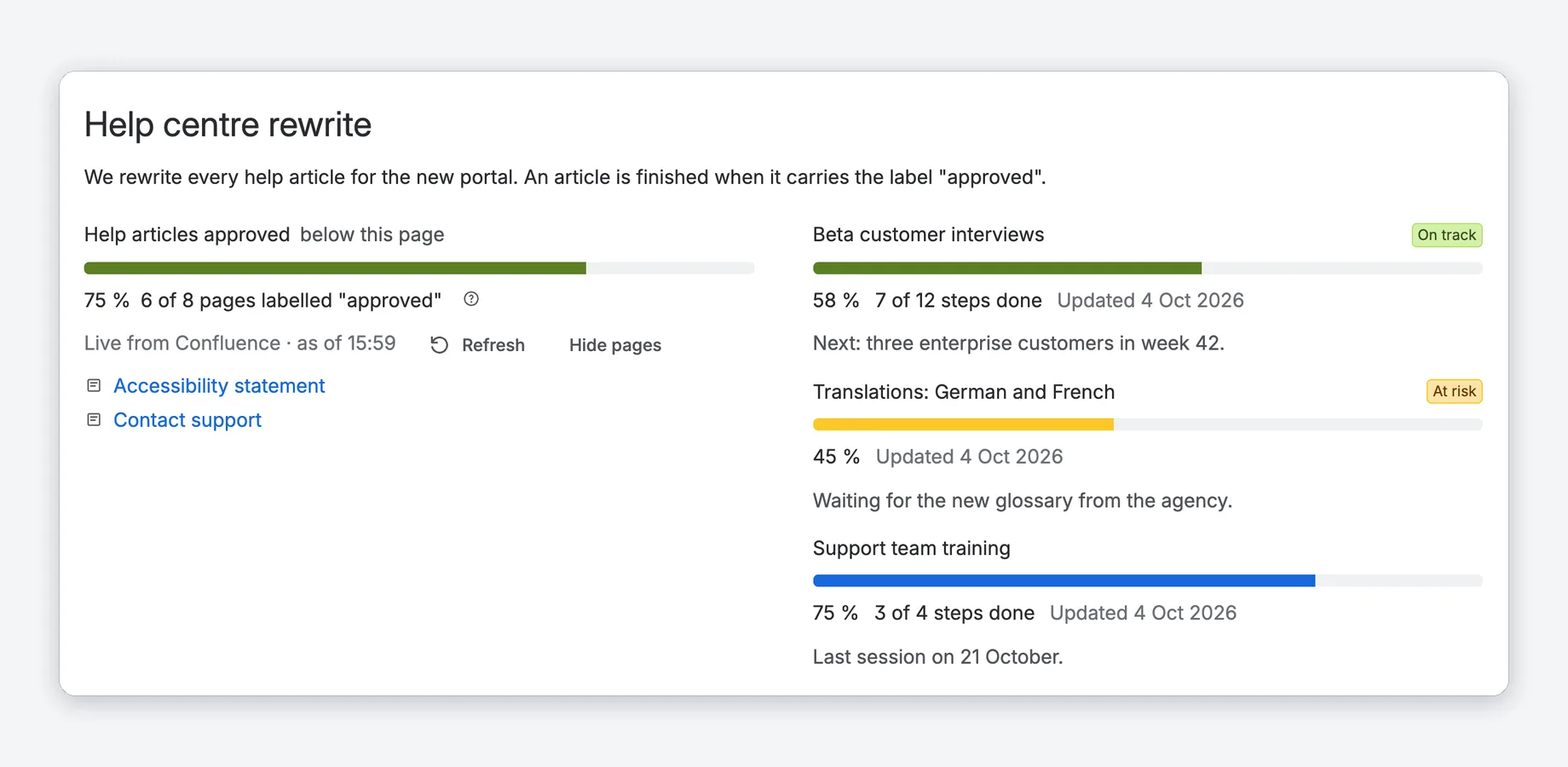
No Jira needed: labels and manual bars
Page Progress counts the pages that carry a label such as “approved”. Progress Bar is set by hand, for work that is not tracked in Jira.
- Pages below a chosen page, in this space or in another space.
- Status colors you choose: on track, at risk, off track.
- “Updated 4 Oct 2026” shows how fresh a hand-set value is.
Watch the tour
A short walkthrough of Epic Progress in Confluence.
Confluence alone vs. with Epic Progress
| Confluence alone | With Epic Progress | |
|---|---|---|
| Progress of an epic or release | A list of work items with their status, or numbers copied from Jira by hand | One bar per epic, release or filter: “61 % · 8 of 13 work items done”, colored like in Jira |
| Readers without Jira access | A pasted copy or a screenshot that someone updates by hand | A dated snapshot, published by an editor with Jira access and kept current by editors’ visits |
| Documentation reviews | A list of the pages with a label, without a share done | Page Progress: the share of pages labelled “approved”, and which ones are missing |
| Progress set by hand | A typed percentage without a date | A bar with a status color, a note and “Updated 4 Oct 2026” |
Compared with Confluence Cloud and Jira Cloud without apps.
Running in three steps
Install
Once the app is live on the Atlassian Marketplace, a Confluence admin installs it on the Confluence site.
Connect Jira
For the Jira macros, a site admin connects Jira on the same site in Atlassian Administration. Progress Bar and Page Progress work without it.
Type /progress
Edit a page, type /progress and pick a macro. Check the live preview, save and publish the page.
How do I show Jira epic progress on a Confluence page?
Can people without Jira access see the progress?
Who sees which numbers?
Do I need Jira?
Does the app change anything in Jira or Confluence?
Is it free?


Live Jira progress for your status pages
Free for Confluence sites with up to 10 users. Larger sites start with a free trial.
Atlassian, Confluence and Jira are trademarks of Atlassian. Epic Progress for Confluence is an independent app by Janek Behrens and is not made or endorsed by Atlassian; the product names only say which products the app works with.