
Score your backlog, ship the right things
Score Jira issues with RICE, WSJF or ICE right on the issue. The app ranks your backlog and checks Board Health from 0 to 100. The Rovo agent suggests scores and explains them.
Free trial, then a monthly or annual subscription on the Atlassian Marketplace. The AI features need Atlassian Rovo on your site.
What you get
Screenshots from a real Jira site with sample data.
Score right on the issue
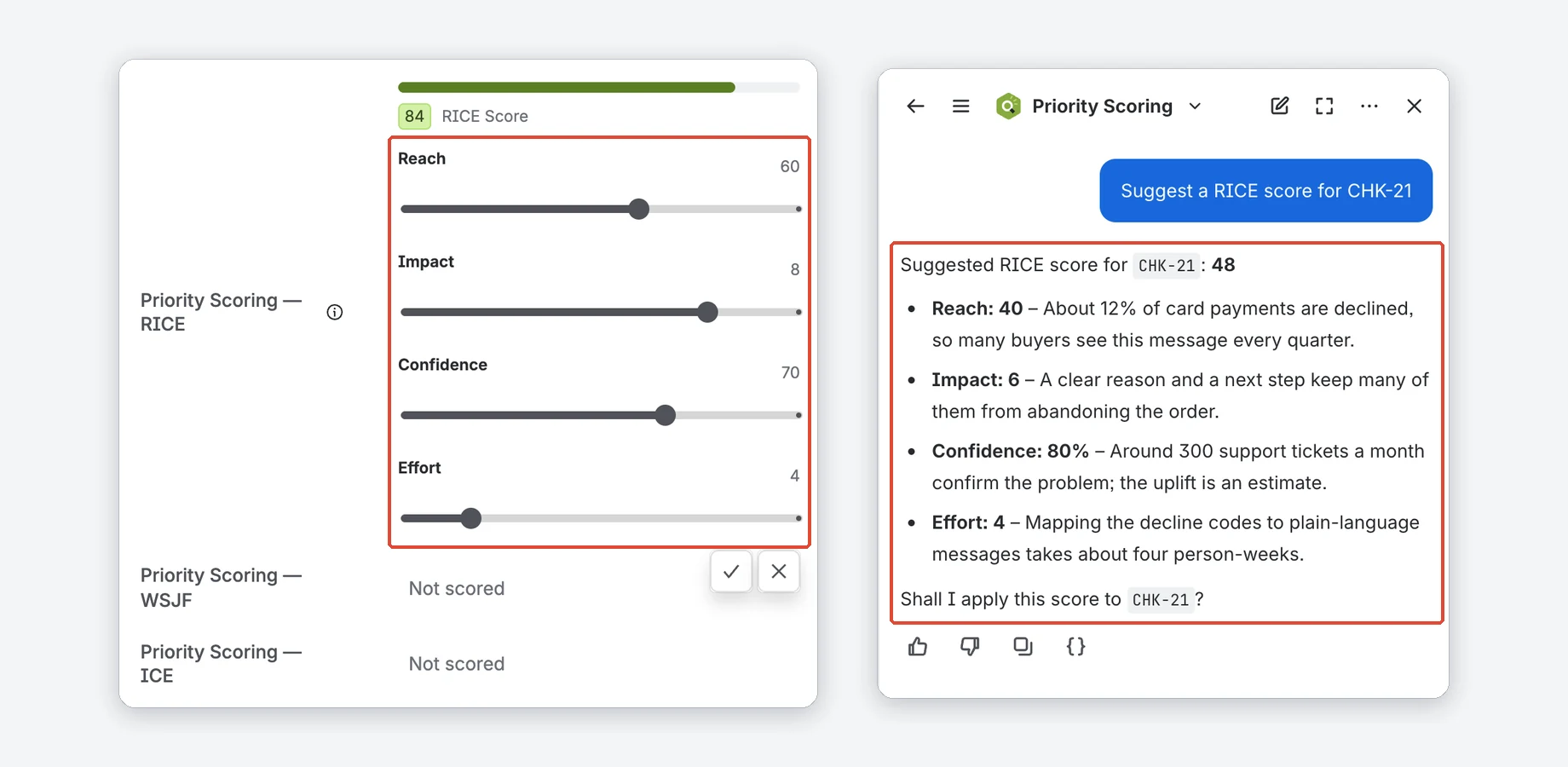
Three fields, one per framework: Priority Scoring — RICE, Priority Scoring — WSJF and Priority Scoring — ICE. Move the sliders and the score updates while you drag; it is saved with the check mark.
The Rovo panel on the right is recreated for this image.
- RICE: Reach × Impact × Confidence ÷ Effort
- WSJF: (Business Value + Time Criticality + Risk Reduction) ÷ Job Size
- ICE: Impact × Confidence × Ease
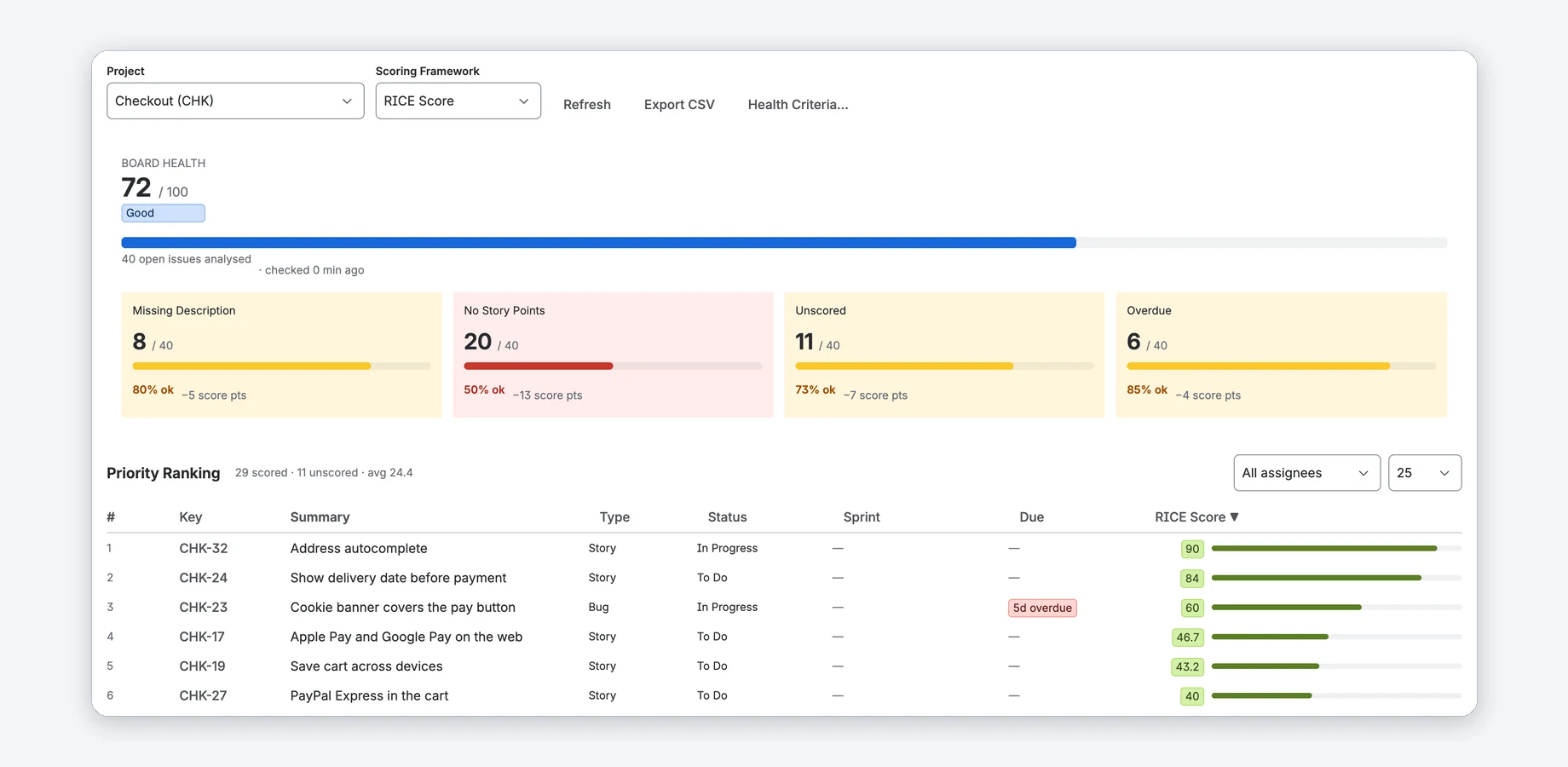
Board Health and a ranked backlog
The app page shows Board Health from 0 to 100 for a project and ranks the open issues you can see in Jira by the framework you pick.
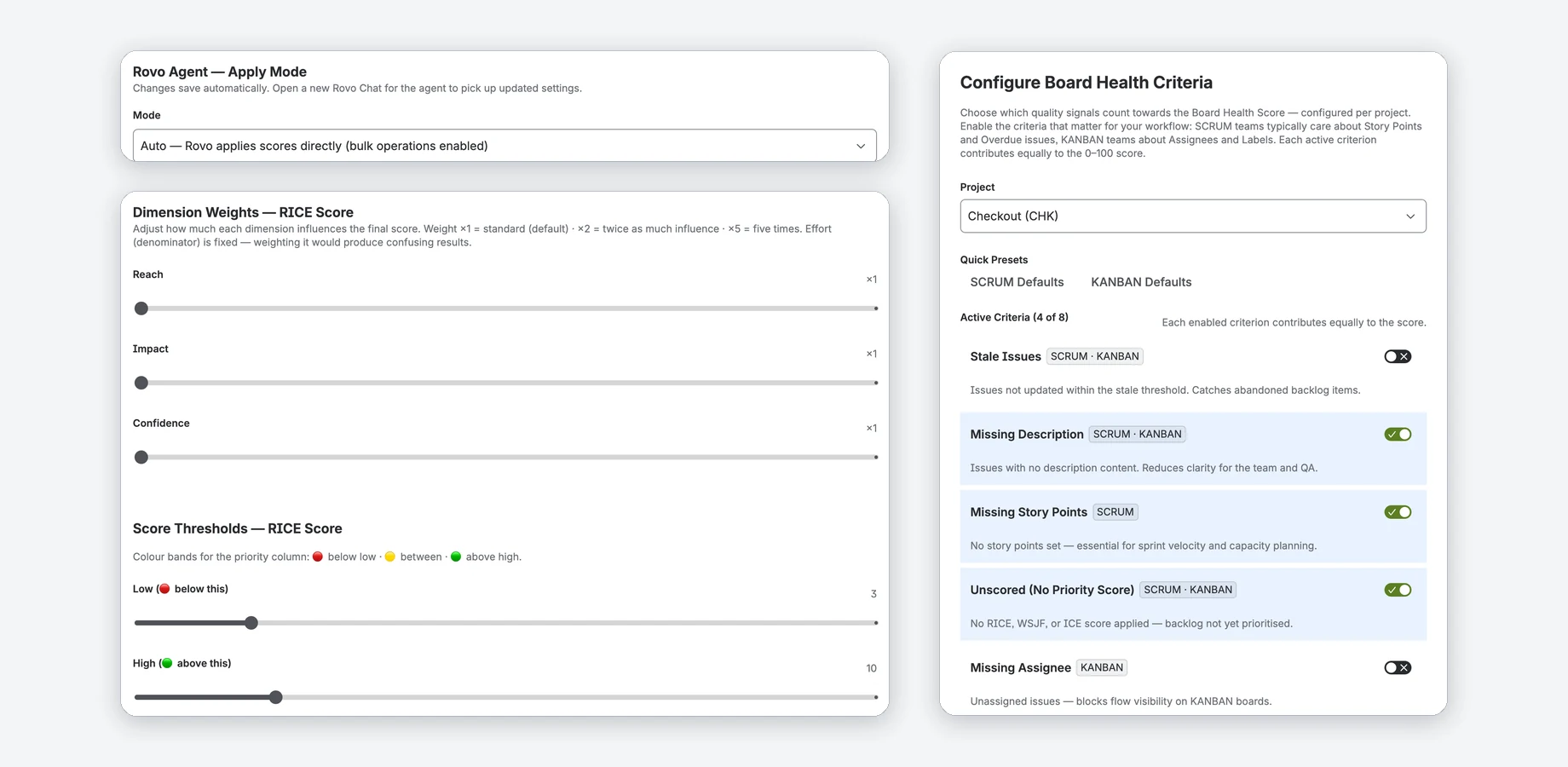
- Choose which of eight health criteria count, per project, or start from the Scrum or Kanban preset.
- Filter the ranking by assignee or sprint; overdue issues are marked.
- Export CSV gives you the ranking as text to copy into a spreadsheet.
Rovo suggests, explains, and applies if you want
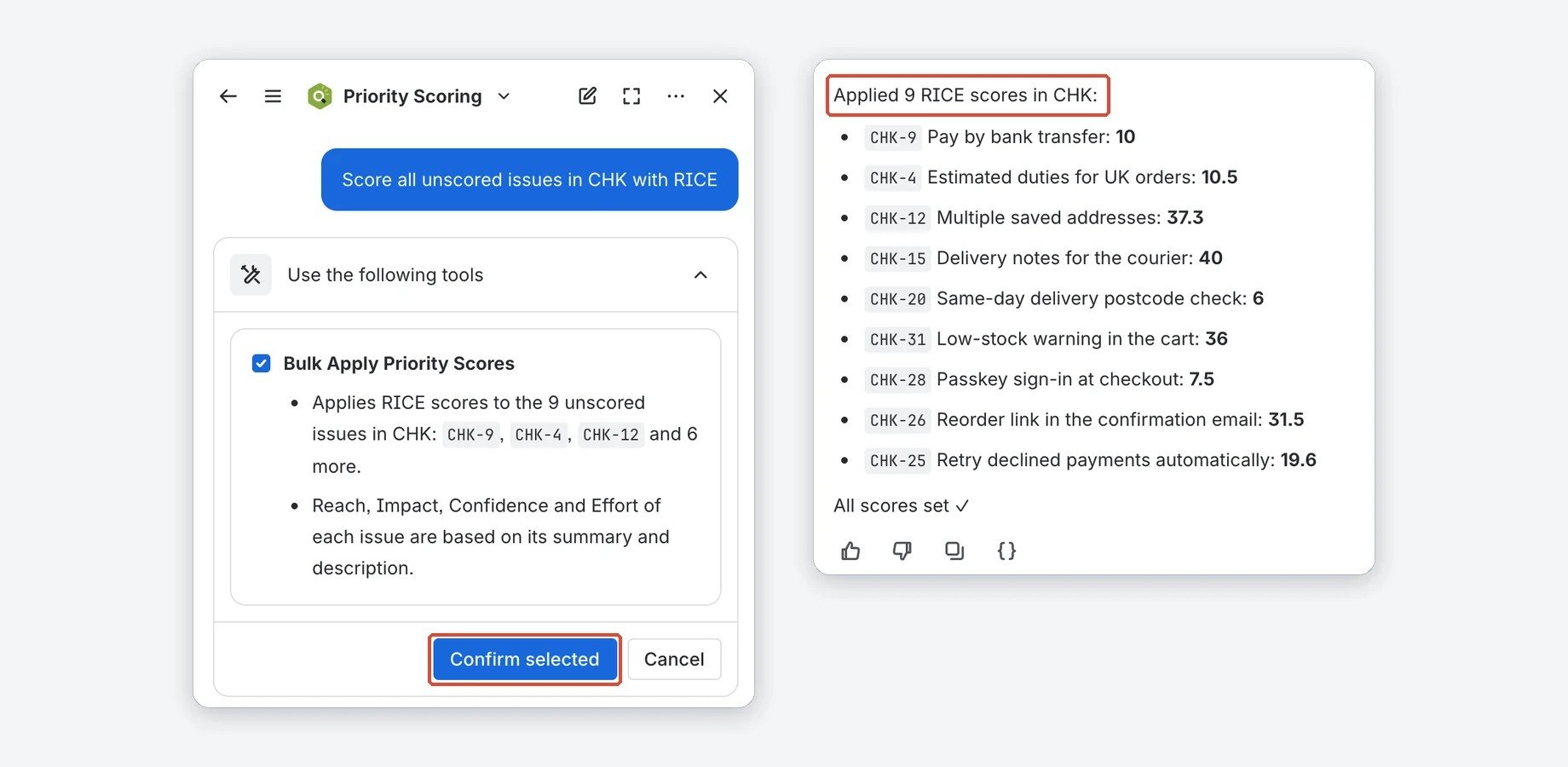
Ask the Priority Scoring agent in Rovo for a score, an explanation, Board Health or the issues that need attention. A Jira admin decides what it may write.
The Rovo chat panel is recreated for this image.
- Suggest only: Rovo suggests, you set the sliders.
- Confirm: Rovo asks in the chat before it writes a score (default).
- Auto: no question in the chat; Rovo applies scores after Atlassian's own confirmation, several issues per request up to your bulk limit (1 to 50).
Health across your projects
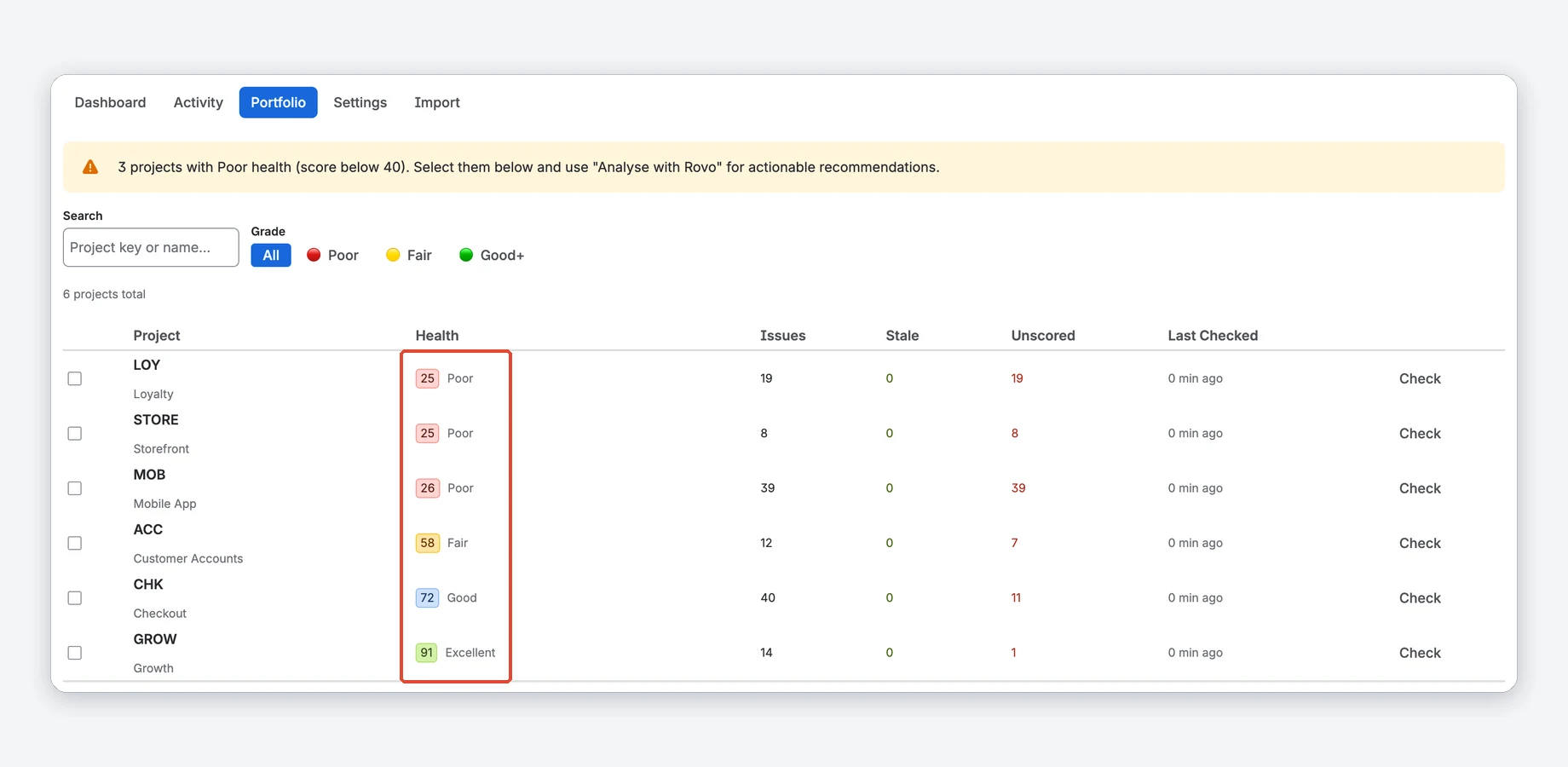
The Portfolio tab lists Board Health for the projects you can open, worst first, with stale and unscored counts.
- Filter by grade: Poor, Fair, Good and better.
- Check updates a project's score on demand.
Weights, thresholds and an audit trail
Jira admins tune the scoring for the whole site. Everyone else sees the settings read-only.
- Weight every dimension except Effort and Job Size, from ×1 to ×5. Scores change on their next save.
- Set where the score color turns from red to yellow to green.
- Optional audit trail per issue, off by default.
Watch the tour
A short walkthrough of Priority Scoring in Jira.
Jira alone vs. with Priority Scoring
| Jira alone | With Priority Scoring | |
|---|---|---|
| RICE, WSJF and ICE scores | Number fields and formulas you build yourself, for example with automation rules | Three ready fields with sliders; the score updates while you drag |
| A ranked backlog | Sort by a number field you keep up to date by hand | Every open issue ranked by score, with assignee and sprint filters and overdue marks |
| Backlog quality | Filters you build and check yourself | Board Health from 0 to 100 with the criteria you choose |
| Help with the numbers | You estimate every dimension yourself | The Rovo agent suggests values with a reason each and can apply them (needs Atlassian Rovo) |
Compared with Jira Cloud without apps.
Running in three steps
Install
Get the app from the Atlassian Marketplace and confirm the installation on your Jira site.
Add the fields
Create the RICE, WSJF or ICE field you need and add it to your project screens.
Score and rank
Score issues with the sliders or with Rovo, then work through the ranking from the top.
Do I need Rovo?
Can I change how scores are calculated?
Which Jira version do I need?
Does any Jira data leave Atlassian's infrastructure?


Stop guessing. Start scoring.
Start with the free trial on the Marketplace.