
Sprint velocity on any dashboard
Committed vs completed for your last closed sprints, with the average line and the say/do ratio. You decide which statuses count as done.
Free for Jira sites with up to 10 users. Larger sites start with a free trial.
What you get
Screenshots from a real Jira site with sample data.
Velocity on any dashboard
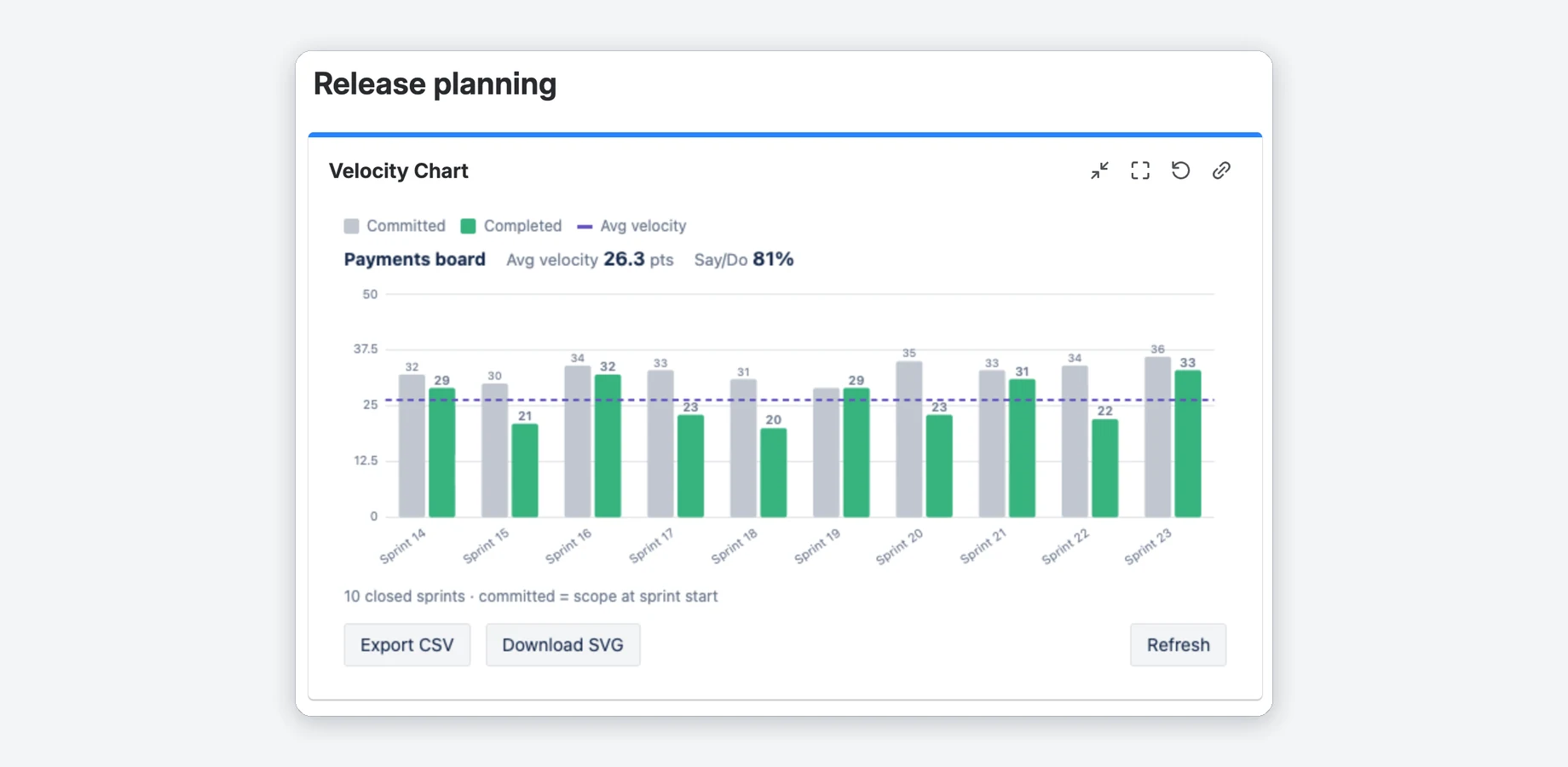
Committed (grey) and completed (green) for the last closed sprints of a Scrum board, with a dashed line for the average.
- Avg velocity next to the board name, plus say/do in Pro.
- Hover a bar for its value, click it for the issues behind it (Pro).
- Company- and team-managed Scrum boards.
The issues behind each sprint PRO
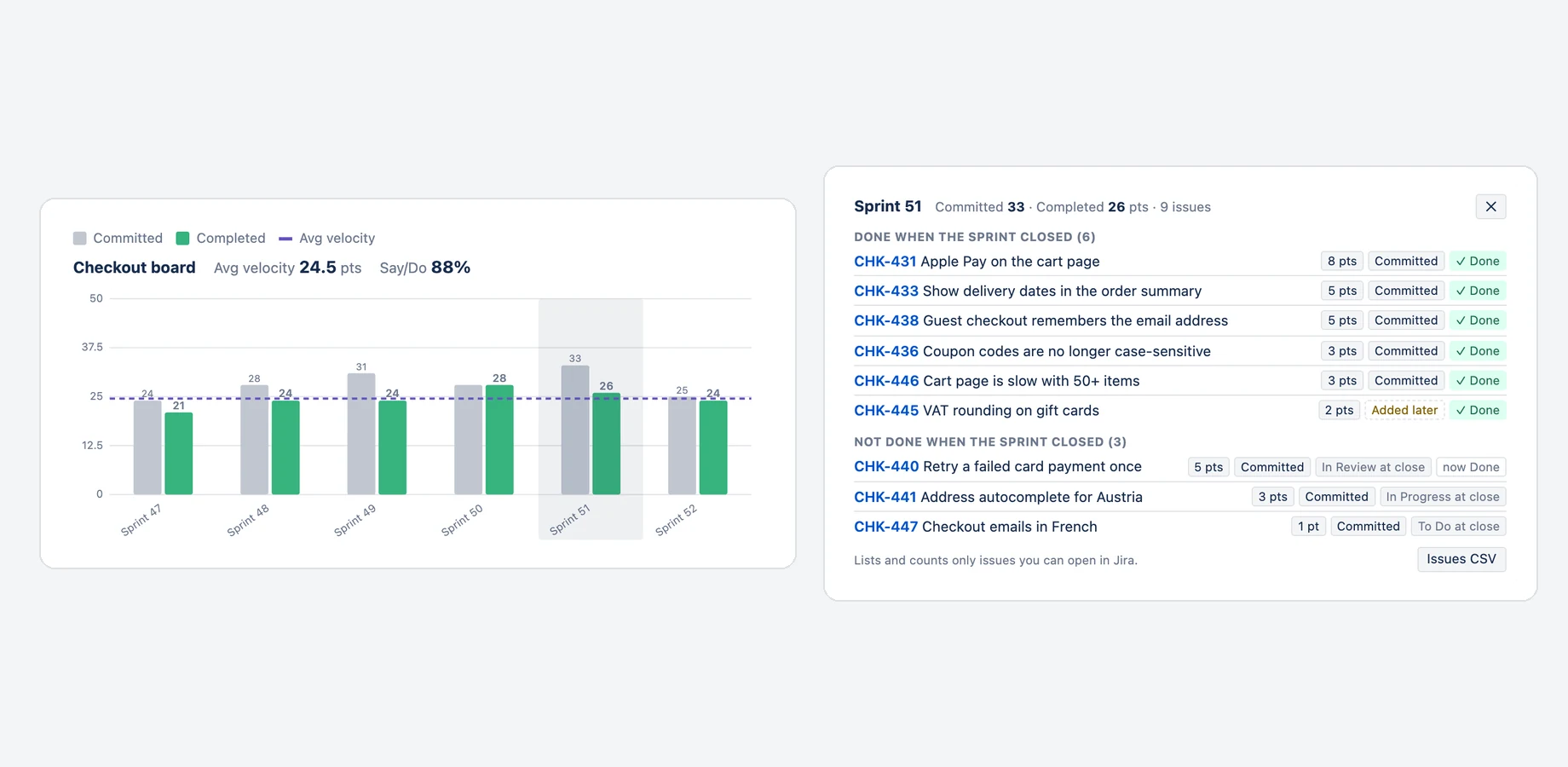
Click a sprint's bars to see which issues make them up: what was planned at the start and what was added later, what was done when the sprint closed and what was carried over.
- Each issue with its estimate, its status at the close and its status now.
- Everyone sees only the issues they can open in Jira.
- Download the list of a sprint as a CSV file.
Your own Definition of Done PRO
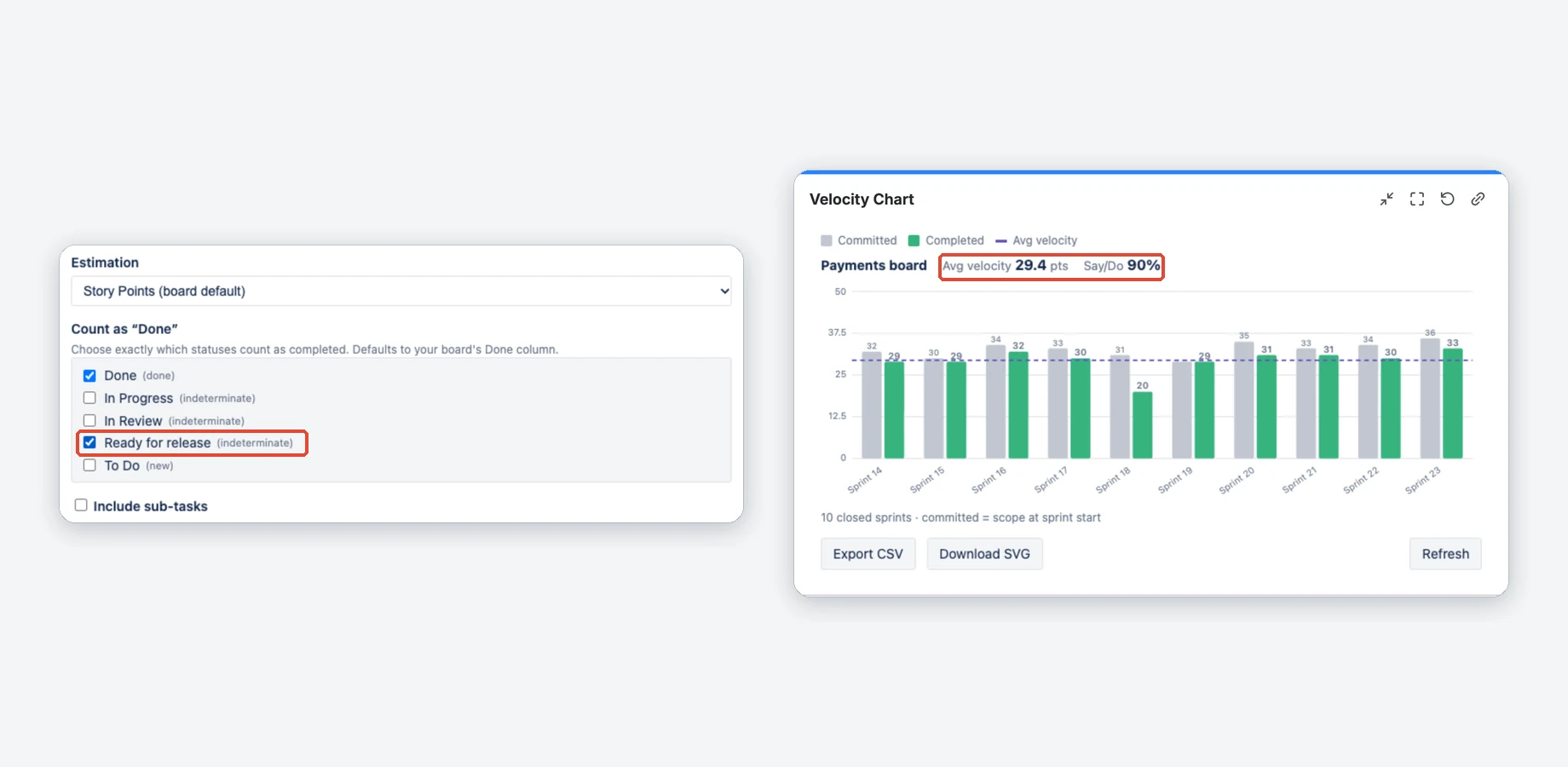
Tick the statuses that count as completed, for example Ready for release next to Done. Until you change the list, the statuses of the board's Done column count.
- Pick from the statuses on your board.
- Leave sub-tasks out (default) or include them.
Estimation and sprint count
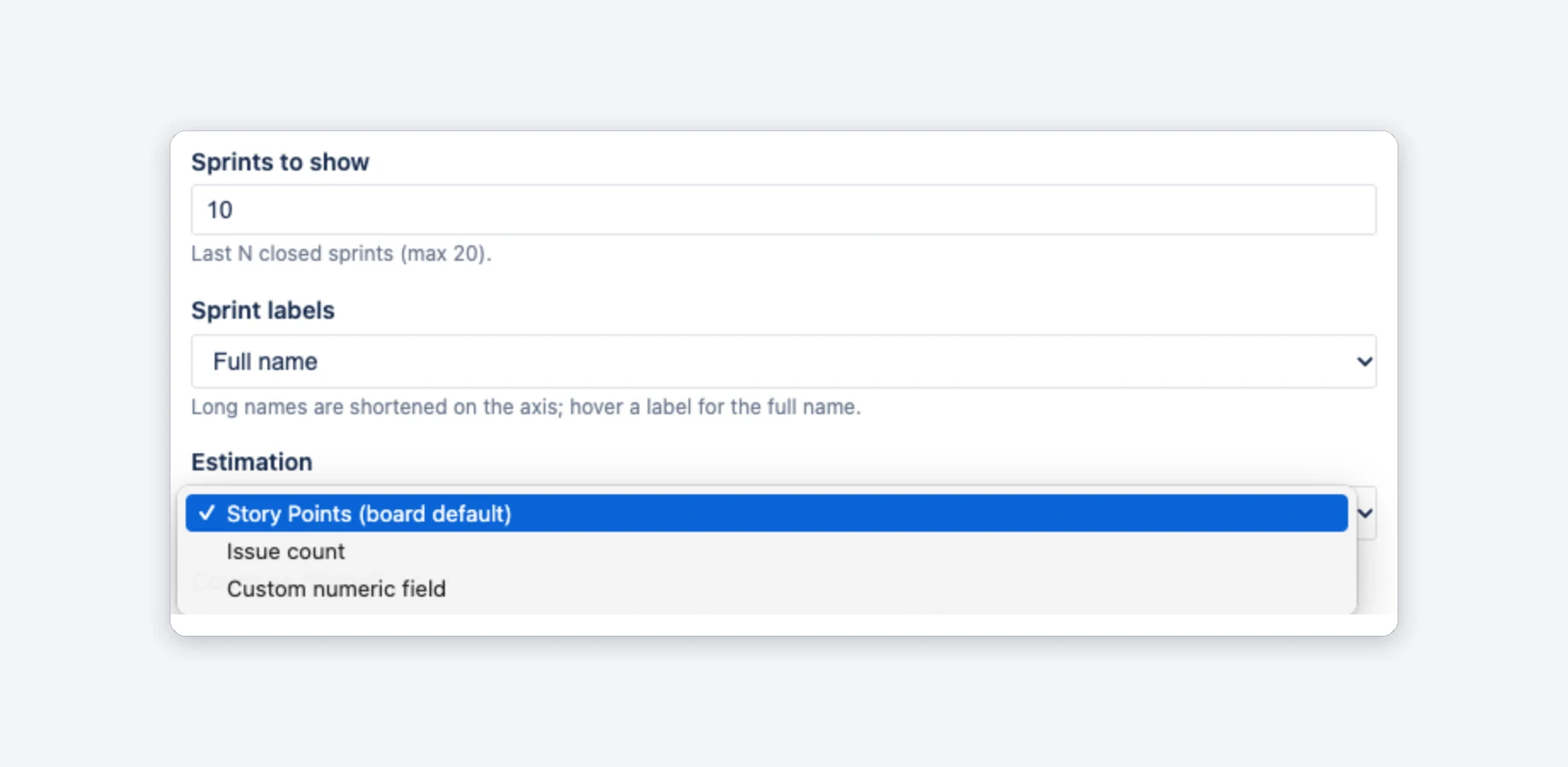
Estimate by Story Points, issue count or a custom numeric field (Pro). Show the last 1 to 20 closed sprints (Free: up to 7).
- Story Points follows the board's estimation field.
- Sprint labels: full name or numbers only.
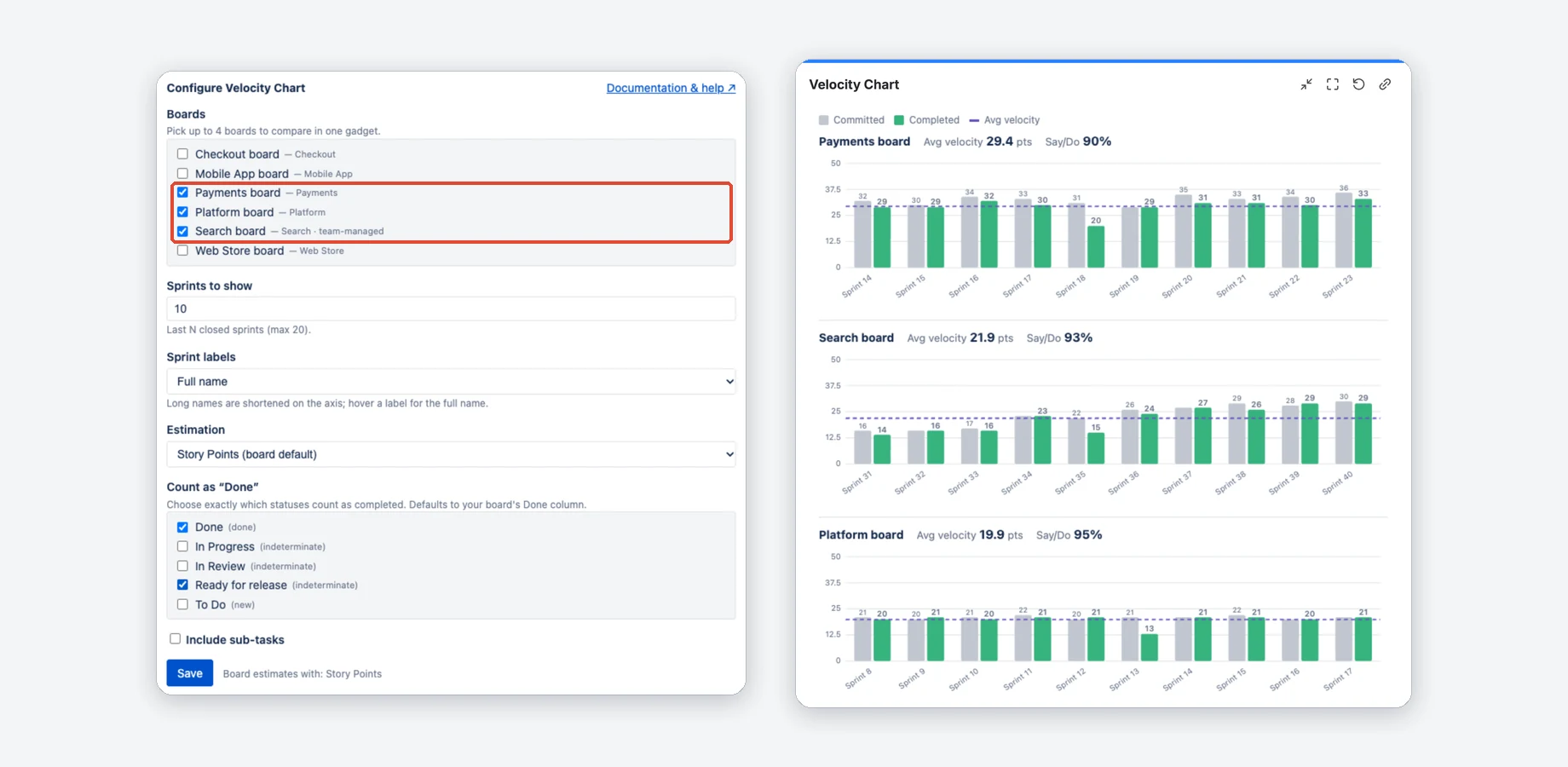
Up to four boards in one gadget PRO
Each board gets its own chart, average and say/do. All of them use the same estimation and Definition of Done, so you compare like for like.
- Team-managed boards are tagged in the picker.
- A search box appears once there are more than 7 boards to pick from.
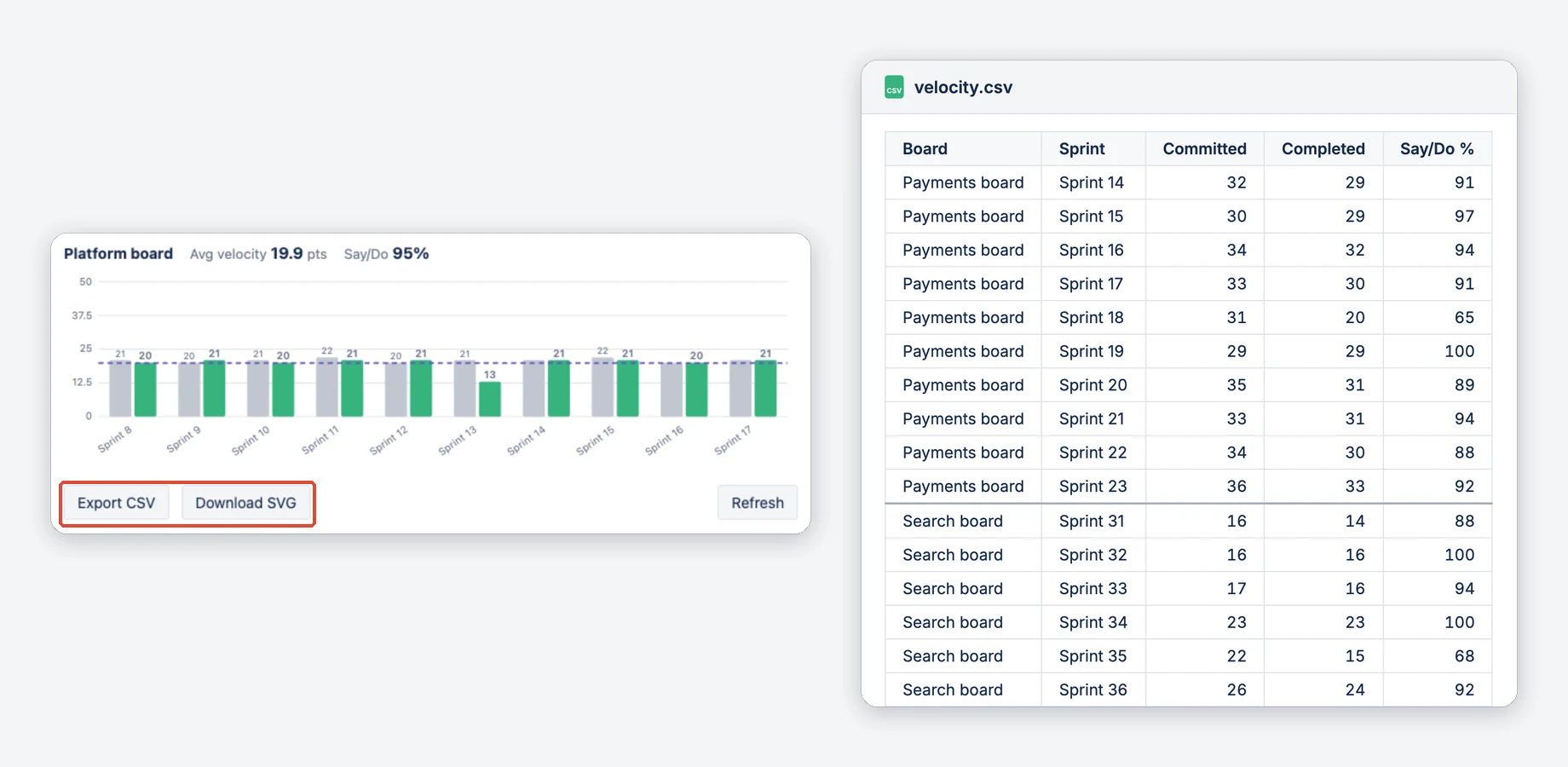
Export CSV and SVG PRO
Export CSV puts all boards of the gadget in one file, with committed, completed and say/do per sprint. Download SVG saves each chart as an image.
- The CSV opens in Excel and Google Sheets.
- SVGs with a white background, for slides and reports.
Watch the tour
A short walkthrough of Velocity Chart in Jira.
Jira alone vs. with Velocity Chart
| Jira alone | With Velocity Chart | |
|---|---|---|
| Where you see velocity | The velocity report on the board's Reports page | A gadget on any Jira dashboard, next to your other gadgets |
| What counts as done | The board's Done column | The statuses you tick, for example Done and Ready for release (Pro) |
| How work is measured | The board's estimation setting | Story Points, issue count or a custom numeric field, set per gadget (Pro) |
| Several teams | One report per board | Up to four boards in one gadget, with the same settings (Pro) |
| Which issues make up a sprint | The sprint report on the board's Reports page | Click the sprint on the dashboard: committed or added later, done at the close or carried over (Pro) |
Compared with Jira Cloud without apps. With the board's own Done column the app counts like Jira's report; differences come from your own settings or from issues removed during a sprint: how velocity is calculated.
Free and Pro
Free for Jira sites with up to 10 users. Larger sites start with a free trial; per-user pricing is on the Marketplace listing.
Free
When the site has no active subscription, for example after the trial.
- One board per gadget
- Velocity chart with the average line
- The last 1 to 7 closed sprints
- The board's estimation and its Done column
- Company- and team-managed Scrum boards
Pro
While the site has an active subscription, the free trial included.
- Up to 4 boards in one gadget
- The last 1 to 20 closed sprints
- Count as “Done”: the statuses you choose
- Story Points, issue count or a custom numeric field
- Include sub-tasks
- Say/do ratio
- Sprint details: the issues behind each bar
- CSV and SVG export
Running in three steps
Install
Get the app from the Atlassian Marketplace and confirm the installation on your Jira site.
Add the gadget
Open a Jira dashboard, click Add gadget and search for Velocity Chart.
Pick a board
Click the pencil, tick a Scrum board with at least one closed sprint and click Save.
How is this different from Jira's built-in velocity report?
Does an issue that was carried over count in both sprints?
Does it work with team-managed projects?
Which Jira do I need?
Does the app change my Jira issues?
Does everyone see the same numbers?
Is it free?


Put your team's velocity on the dashboard
Free for Jira sites with up to 10 users. Larger sites start with a free trial.