Why documentation always falls behind
Documentation has a fundamental timing problem. The moment when documentation would be most accurate — right after a feature is built — is also the moment when everyone wants to move on to the next ticket. So documentation gets deferred. Then a sprint becomes a quarter, and the quarter becomes "we'll do it properly when we have time."
The result is Confluence spaces full of pages that are 80% accurate at best, with no clear signal about which sections are outdated. New team members can't trust them. Auditors can't rely on them. Support engineers waste time tracking down whoever wrote the code.
AI documentation changes the economics of this problem. Instead of asking an engineer to spend two hours writing a Confluence page, you let AI draft it in under a minute — and then spend fifteen minutes reviewing and adjusting. The time investment drops by an order of magnitude, and the accuracy floor rises because the AI reads the actual code rather than someone's memory of it.
What AI documentation for Confluence actually does
CodeDoc AI for Confluence reads your source code from a connected Git repository (GitHub, GitLab, Bitbucket, or Azure DevOps) and generates a structured Confluence page using the AI model of your choice. It is an BYOK (Bring Your Own Key) app — you connect your own Anthropic, OpenAI, or Google AI account, and the code goes directly from Git to your AI provider. The app itself never stores your source code.
The output is a native Confluence page, not a PDF or an attachment. You can edit it, add inline comments, apply a page template to it, move it between spaces, or version it — exactly like any other page your team creates manually.
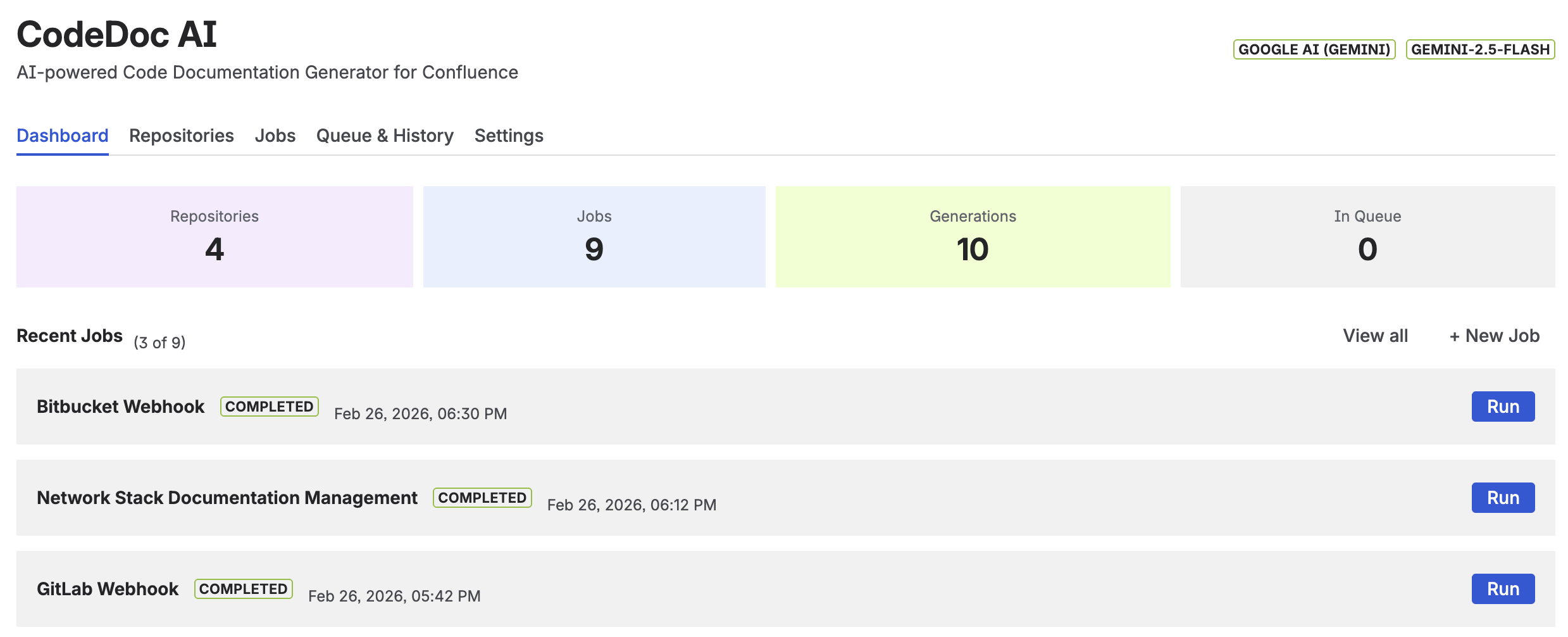
The CodeDoc AI dashboard — documentation jobs, recent generations, and status at a glance
The 8 documentation presets — who they're for
Not all documentation serves the same audience. A developer reading your API reference needs different information than a compliance officer checking your GDPR controls, and both need something different than a new hire trying to understand the codebase for the first time. That's why presets exist.
Each preset produces a different page structure tailored to its audience:
| Preset | Audience | What it generates |
|---|---|---|
| Developer Documentation | Developers | Technical overview, architecture, API reference, configuration, troubleshooting. 9 sections. |
| Comprehensive Technical | Developers | Deep-dive covering every module, data model, security, build pipeline, testing, known limitations. 12 sections. |
| Management Overview | Stakeholders | Business capabilities, risks, scalability, strategic recommendations. No code examples. |
| Customer Documentation | External users | Features, getting-started guide, integration instructions. No internal implementation details. |
| Compliance & Audit | Security / Compliance | Security controls, data classification, access management, GDPR/ISO 27001/SOC2 mappings, risk register. |
| Onboarding Guide | New team members | Step-by-step setup, key concepts explained simply, day-to-day workflows, common mistakes to avoid. |
| Quick Reference | Developers | Concise tech stack table, key commands, project structure, important config values. 5 sections. |
| Custom | Any | Your own prompt (up to 2,000 characters). Full control over structure and content. |
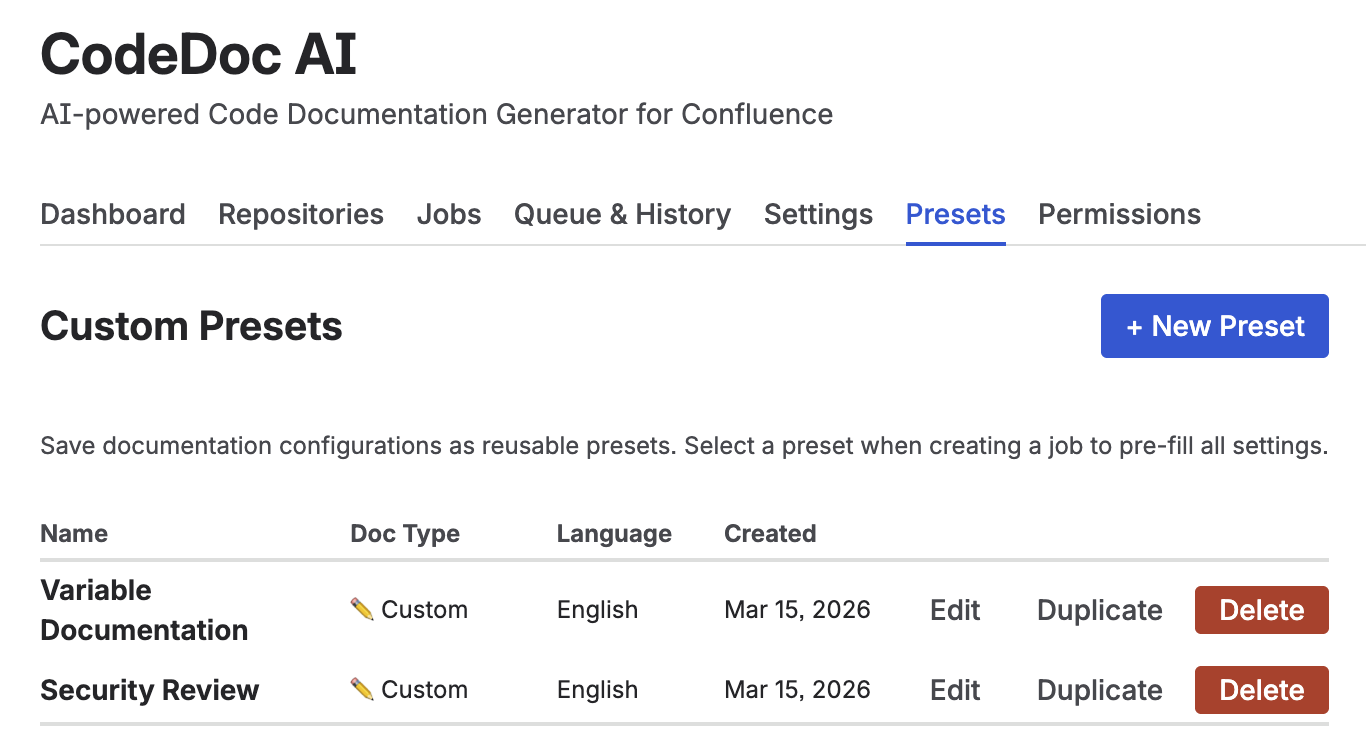
The 8 built-in presets — select the one that matches your audience
Practical tip: Run the same repository through two different presets and publish both pages. A management stakeholder and a new engineer both need documentation — they just need different documentation. Two jobs, one codebase, two audiences covered automatically.
Documentation in 10 languages
Multilingual teams often have Confluence spaces in multiple languages, but documentation tends to be written in English because it's the path of least resistance. With CodeDoc AI, you select the output language when creating the job. The current options are:
English, German, French, Spanish, Italian, Portuguese, Japanese, Chinese (Simplified), Korean, and Custom (define your own language or dialect in the prompt).
Language is a job-level setting. You can run the same repository twice — once in English for your engineering team and once in German for a local compliance requirement — by creating two separate jobs pointing to the same repository.
AI-powered file selection: quality over quantity
The quality of AI-generated documentation depends heavily on which files you feed it. A repository with 400 files — including lock files, build artifacts, migration scripts, and vendor code — produces worse documentation than a carefully selected 30-file subset of the core application logic.
CodeDoc AI addresses this with a two-step file selection process. First, the AI analyzes the repository's file names and structure to identify the most relevant source files. Then you review the selection, lock it (fixed for every run) or leave it dynamic (re-evaluated each run), and optionally apply glob-pattern filters to include or exclude specific paths.
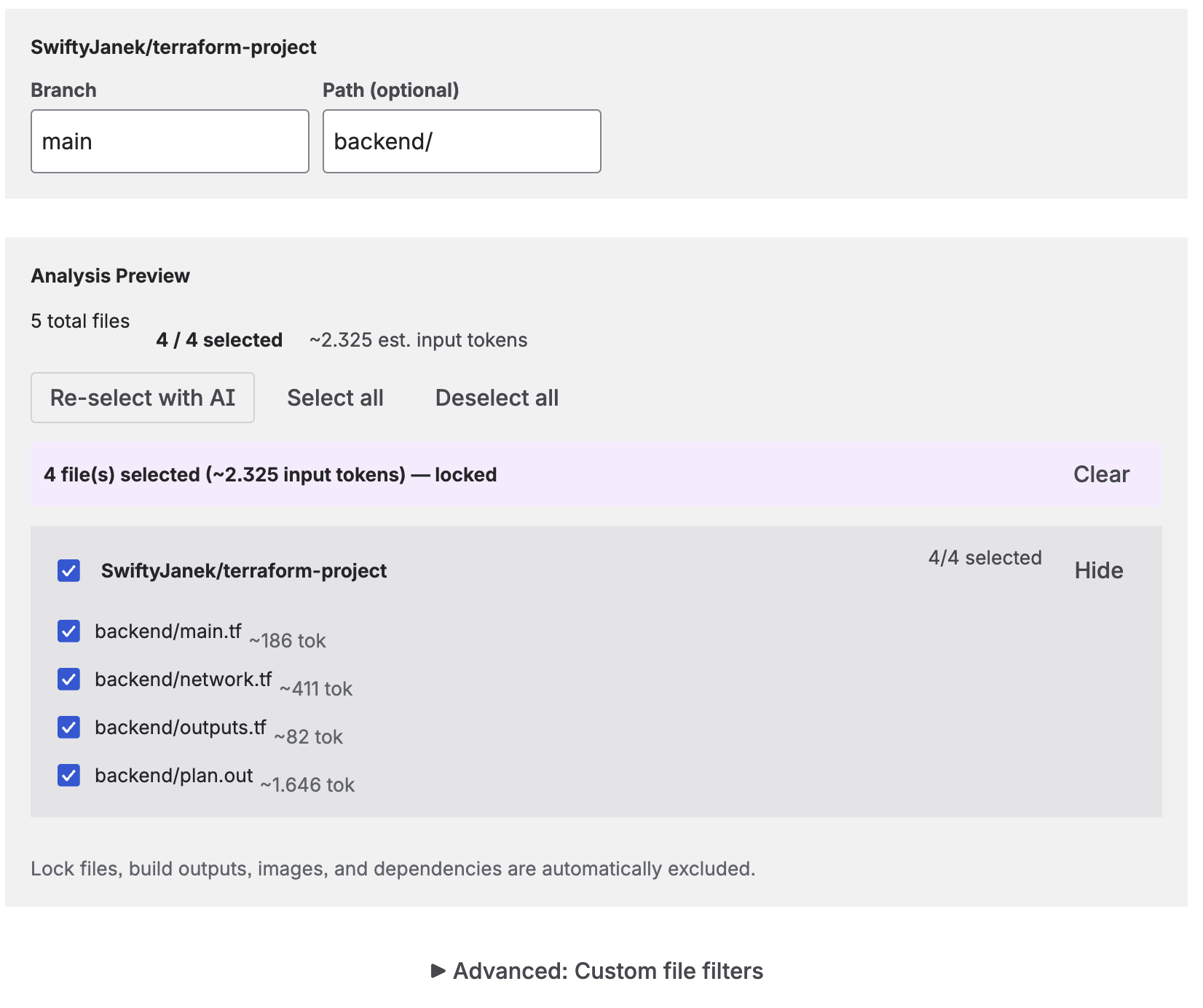
File analysis preview — token estimate and AI-selected files before generation
The analysis preview shows the total file count, code file count, and estimated token cost before you run the job. For large repositories, AI file selection typically reduces token usage by 60–80% while producing more focused documentation.
When does documentation regenerate?
The trigger setting controls how often a job runs. There are four options:
- Manual: Click "Run" on the job. Good for one-off generations and testing.
- On Commit: Runs automatically when code is pushed to the configured branch via a webhook. Keeps docs as fresh as possible — every push regenerates.
- On Merge: Runs when a pull request is merged. A better fit for teams that want documentation to reflect stable, reviewed code rather than every work-in-progress commit.
- Scheduled: Runs daily, weekly, or monthly at a time you choose. Suits documentation that covers long-lived infrastructure or systems that change slowly.
For more on setting up webhook triggers with GitHub, GitLab, Bitbucket, and Azure DevOps, see Automating Confluence Documentation: From Manual Updates to CI/CD.
The approval workflow: a human quality gate
AI-generated documentation is accurate about what the code does. It is not always accurate about what the code should do, the business context behind an architectural decision, or the historical reason a particular component looks the way it does. Those nuances require a human.
The approval workflow lets you insert a review step before anything reaches the live Confluence page. When enabled, the generated documentation is saved as a Confluence draft with a [DRAFT] prefix. It sits there until you open the Dashboard, review it, and publish or discard it.
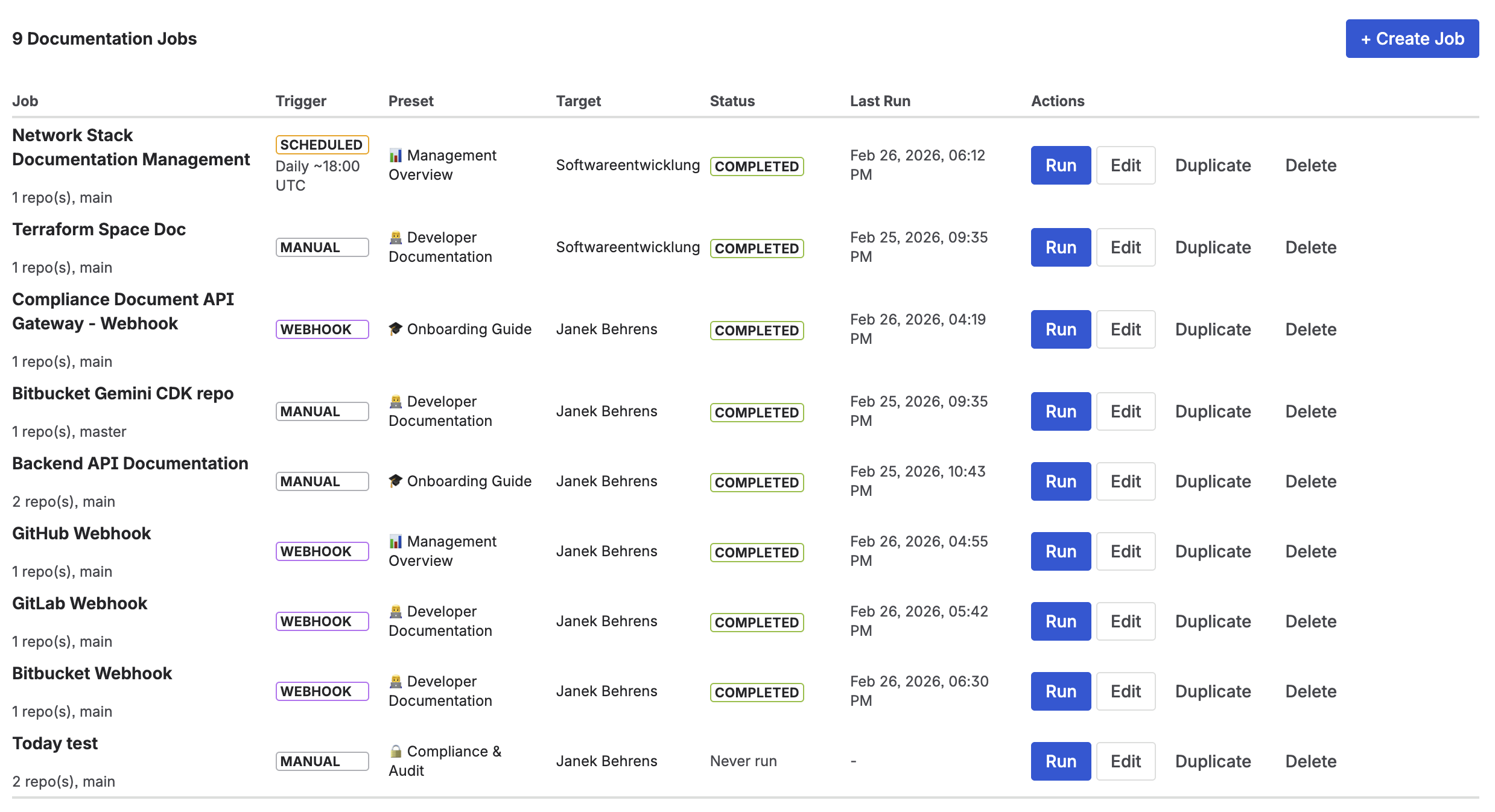
Jobs overview — pending approvals appear here before going live in Confluence
When to use it: customer-facing documentation, compliance pages, onboarding guides. When to skip it: internal developer references that update on every merge and where speed matters more than editorial precision.
Real-world example: onboarding a new engineer
A common pain point for growing teams is onboarding documentation that becomes outdated within weeks of being written. Here's how a team might solve this with CodeDoc AI:
- Create one job per repository using the Onboarding Guide preset.
- Set the trigger to On Merge — the guide regenerates every time a significant change is merged.
- Enable the approval workflow — a senior engineer reviews the draft and adds context the AI couldn't know (the "why" behind architectural decisions).
- Publish the approved page to the team's Confluence onboarding space.
The result is onboarding documentation that reflects the current codebase, not the one from six months ago. New engineers get accurate setup instructions, a clear view of the project structure, and an explanation of common patterns — without a senior engineer spending an afternoon writing it.
Understanding the cost
CodeDoc AI charges no per-generation fee. You pay only for the Atlassian Marketplace subscription. AI costs are billed directly by your provider based on token usage:
- Google Gemini has a free tier — good for evaluation and light use.
- Anthropic Claude Haiku and OpenAI gpt-4o-mini are the most affordable paid options: typically $0.01–0.05 per generation for a medium-sized repository.
- Larger models (Claude Sonnet, GPT-4o) cost more but produce more nuanced output for complex codebases.
The file selection step is also key for cost control: selecting 30 relevant files instead of sending 300 can reduce token usage — and therefore AI cost — by 80% or more.
Frequently asked questions
Can AI write documentation for Confluence automatically?
Yes. CodeDoc AI reads your source code from a connected Git repository and generates structured Confluence pages using an AI model you choose. Triggers include manual runs, Git webhooks (on commit or merge), and scheduled runs.
What is a documentation preset?
A preset controls the structure, tone, and depth of the generated page. Developer Documentation produces technical sections with API references; Management Overview produces a non-technical business summary; Compliance & Audit produces security controls and regulatory mapping tables. CodeDoc AI includes 8 built-in presets plus a fully custom option.
How much does AI documentation for Confluence cost?
The app itself charges no per-generation fee — you pay for the Marketplace subscription only. AI costs are billed by your provider: Google Gemini has a free tier; Anthropic Haiku and OpenAI gpt-4o-mini typically run $0.01–0.05 per generation for a medium repository.
What programming languages are supported?
All text-based source files are supported — JavaScript, TypeScript, Python, Java, C#, Go, Rust, Ruby, PHP, Swift, Kotlin, and more. There is no language whitelist. Binary files, build artifacts, and lock files are excluded automatically.
Can I review AI-generated documentation before it goes live?
Yes. Enable "Require approval before publishing" in the job settings. The page is saved as a Confluence draft with a [DRAFT] prefix and published only when you approve it from the Dashboard.
Does CodeDoc AI support multiple Git providers?
Yes — GitHub, GitLab, Bitbucket, and Azure DevOps (cloud). You can connect multiple providers simultaneously and create separate jobs for repositories on different platforms.
Start generating documentation for your team
CodeDoc AI is free to try on the Atlassian Marketplace — all 8 presets, 10 languages, and automatic triggers included.
Try it free on Marketplace →