What is WSJF — and why does SAFe use it?
Weighted Shortest Job First (WSJF) is the prioritization method at the heart of the Scaled Agile Framework (SAFe). It was developed by Dean Leffingwell and answers a question that gut-based prioritization can't answer reliably: given limited team capacity, which feature should we build first to maximize economic value delivered per unit of time?
The answer is not "the most valuable feature." It's the feature with the highest ratio of Cost of Delay to Job Size. A smaller feature that's moderately valuable can outrank a massive high-value feature — because you can ship it sooner, and delay is expensive.
This sequencing logic is especially powerful in PI Planning, where multiple Agile Release Trains (ARTs) compete for the same capacity over a 10–12 week Program Increment. WSJF gives the Release Train Engineer (RTE) and Product Managers a defensible, quantitative order for the backlog rather than a room full of competing priorities.
Quick answer: Jira does not include WSJF scoring natively. You add it via a Marketplace app that creates custom fields. Priority Scoring for Jira adds a native WSJF field with Fibonacci sliders per dimension, automatic calculation, and a ranked dashboard — no spreadsheet, no ScriptRunner.
The WSJF formula
The formula has two parts: a numerator (Cost of Delay) built from three components, and a single denominator (Job Size). All four values are scored on the same relative Fibonacci scale.
Why Fibonacci — and how to score correctly
All four WSJF dimensions use a relative Fibonacci scale: 1, 2, 3, 5, 8, 13, 20. The choice of Fibonacci is deliberate: the widening gaps between values force teams to express meaningful differences rather than creeping up one point at a time.
The critical rule: score relative to a reference item, not on an absolute scale. At the start of each PI Planning session, the team picks one feature they know well — call it the reference. Everything else is scored against it. "Is this twice as valuable? Half the size?" A feature that's clearly the most valuable in the entire backlog gets a 20. The rest distribute from there.
This is also why WSJF should not be scored solo. It's a group activity — RTEs, Product Managers, and System Architects scoring together and debating outliers. The conversation is where the value is, not just the number.
Common mistake: Treating Fibonacci values as absolute scores (e.g., "Business Value = 8 because it's worth $80K"). WSJF dimensions are relative — a score only means something in comparison to other items in the same backlog. Mixing backlogs with different reference scales makes scores incomparable.
The four dimensions explained
Business Value
Business Value captures the relative benefit to customers, users, or the business if this feature is delivered now. It combines revenue potential, customer satisfaction impact, and strategic alignment into a single relative number.
Score high (13–20) for features that unlock new revenue, resolve a top customer complaint, or are explicitly in the annual strategy. Score low (1–2) for housekeeping items, minor improvements, or work requested by a small subset of users with no strategic relevance.
Time Criticality
Time Criticality is the dimension that most distinguishes WSJF from RICE. It asks: how much does delay hurt? A feature is time-critical when there's a hard external deadline (regulatory date, contract milestone, partner launch), a market window that closes (competitor shipping first, seasonal demand), or a critical path dependency that blocks other teams.
Score high (13–20) when the cost of delay is concrete and near-term. Score 1 when the feature has no deadline and no decay — something that's equally valuable whether you ship it this PI or next.
Risk Reduction / Opportunity Enablement
This dimension captures architectural enablers, platform investments, and risk-mitigation work that don't deliver direct user value immediately but unlock future work or reduce future pain. A refactor that prevents a category of production incidents. An API that enables three future integrations. A security audit that addresses a compliance gap.
Without this dimension, enabler work is perpetually outranked by features with direct user value — and technical debt compounds. Risk Reduction is WSJF's mechanism for keeping the foundation healthy.
Job Size
Job Size is the denominator — a relative estimate of the total team-time required to complete the feature, not just development. Include design, QA, documentation, and any cross-team coordination. Job Size is not the same as story points: it spans the entire feature from kick-off to shipped, regardless of how many sprints it takes.
A larger Job Size penalizes the WSJF score, pushing shorter, high-value work to the top of the sequence — the "shortest job first" in the framework's name.
A worked example
Two features compete for the same PI slot. The team scores them relative to each other in a 30-minute workshop:
Feature B ranks first — not because it's more strategically important, but because the team has a hard customer contract deadline (Time Criticality 13) and it's a two-point job. WSJF surfaces this sequencing logic cleanly. The SSO integration will be more valuable eventually, but delaying CSV export is concretely more expensive right now. Build B first.
How to set up WSJF in Jira
The steps below use Priority Scoring for Jira — a Forge-native app ("Runs on Atlassian" badge, no external servers) that adds WSJF, RICE, and ICE as native custom fields.
-
1Install Priority Scoring from the Atlassian Marketplace. Search for "Priority Scoring" and install to your Jira Cloud site. All frameworks, including WSJF, are available in the free trial.
-
2Add the WSJF Score field to your project screen. Go to Jira Settings → Work Items → Screens, find the screen for your project, and add "Priority Scoring — WSJF". Without this step, the sliders won't appear on issues.
-
3Score your first feature. Open any Jira issue. You'll see sliders for Business Value, Time Criticality, Risk Reduction, and Job Size — each pre-set to Fibonacci values (1, 2, 3, 5, 8, 13, 20). Adjust each slider; the WSJF score updates live above the sliders.
-
4View the ranked backlog. Open the Priority Scoring dashboard, switch to the WSJF framework, and select your project. All scored issues appear ranked from highest to lowest WSJF score — with 🟢🟡🔴 badges based on your configured thresholds.
-
5(Optional) Adjust score thresholds. In Settings → Score Thresholds, configure your Low and High cutoffs for WSJF. For most teams, scores below 2 are low-priority (🔴) and above 5 are high-priority (🟢), but adjust based on your backlog's distribution.
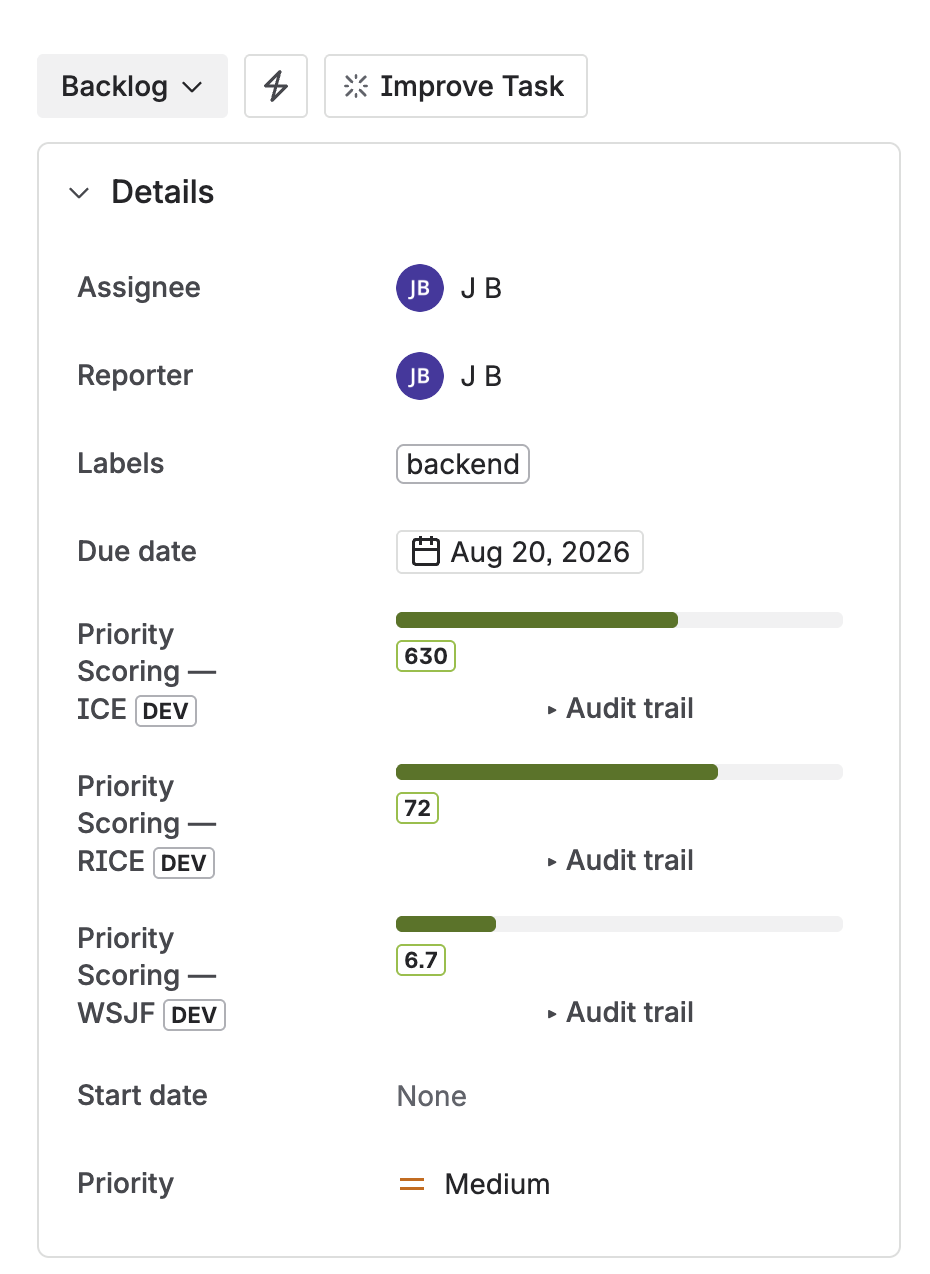
WSJF sliders on a Jira issue — Business Value, Time Criticality, Risk Reduction, and Job Size each set via Fibonacci slider, score calculated live
WSJF in PI Planning: a practical workflow
The highest-value moment for WSJF in Jira is the 48–72 hours before a PI Planning event. Here's the workflow that gets the most out of it:
The Rovo AI Agent in Priority Scoring can accelerate step 1: ask "Suggest a WSJF score for EPIC-42" and it reads the issue content, suggests Fibonacci values with written reasoning, and — in Confirm mode — applies them to the field after your approval.
For bulk pre-scoring of an entire epic's child features before a PI event: "Score all unscored issues in project CORE with WSJF." Rovo works through the list up to your configured bulk limit, leaving Time Criticality and Job Size for the human workshop where group calibration matters most.
WSJF and Dimension Weights: Priority Scoring lets you apply custom weights (×1–×5) to Business Value, Time Criticality, and Risk Reduction independently. If your organization is in a compliance-heavy phase where Risk Reduction matters more than usual, you can weight it ×3 without abandoning the WSJF framework entirely. Job Size (the denominator) intentionally cannot be weighted — a weight on the denominator would invert unexpectedly.
WSJF vs. RICE — when to use which
WSJF and RICE look similar but answer fundamentally different questions. The right choice depends on your context:
| Use case | WSJF | RICE |
|---|---|---|
| SAFe / PI Planning | ✅ Native, built for this | ⚠️ Possible but non-standard |
| Deadline-driven sequencing | ✅ Time Criticality dimension | ❌ No deadline dimension |
| User reach as primary metric | ❌ No Reach dimension | ✅ Reach is the first factor |
| Enabler / tech debt work | ✅ Risk Reduction handles it | ⚠️ Impact dimension can stretch |
| Team size | 50+ (enterprise, multi-team) | 10–50 (product team) |
| Scoring session | Group (relative Fibonacci) | Individual or async |
Many enterprise organizations run both: WSJF for epic-level PI sequencing across ARTs, RICE for feature-level decisions within a single product team. Priority Scoring for Jira supports both on the same issue — switch between the ranked views with one click. Full comparison: RICE vs. WSJF vs. ICE.
Frequently asked questions
What is WSJF in Jira?
WSJF (Weighted Shortest Job First) is a SAFe prioritization method that scores backlog items using: WSJF = (Business Value + Time Criticality + Risk Reduction) ÷ Job Size. It's used to sequence work by economic value per unit of time — delivering the highest-value work in the shortest duration first. Jira doesn't include WSJF natively; Priority Scoring for Jira adds it as a native custom field with Fibonacci sliders and live score calculation.
What is the WSJF formula?
WSJF = Cost of Delay ÷ Job Size. Cost of Delay = Business Value + Time Criticality + Risk Reduction/Opportunity Enablement. All dimensions use a relative Fibonacci scale (1, 2, 3, 5, 8, 13, 20). A feature with CoD = 26 and Job Size = 8 scores WSJF = 3.25. Typical WSJF scores range from 0.3 to 10. Higher scores are sequenced first.
What is Cost of Delay in WSJF?
Cost of Delay is the economic impact of not delivering a feature now. In SAFe WSJF, it combines three components: Business Value (value to users/business if delivered now), Time Criticality (does delay hurt — deadlines, market windows, dependencies?), and Risk Reduction/Opportunity Enablement (reduces a risk or unlocks future work). Each is scored 1–20 on a Fibonacci scale relative to other items in the same backlog.
Why does WSJF use the Fibonacci scale?
The Fibonacci sequence (1, 2, 3, 5, 8, 13, 20) forces meaningful relative estimates. The growing gaps between values reflect natural uncertainty — distinguishing 13 from 20 is meaningful, but distinguishing 13 from 14 is false precision. Teams score items relative to a reference item ("is this twice as valuable?") rather than on an absolute scale, which produces more consistent and group-calibrated scores.
Can I use WSJF in Jira without ScriptRunner?
Yes. Priority Scoring for Jira adds WSJF as a native custom field — no ScriptRunner, no Automation rules, no custom formulas required. Install the app, add the WSJF field to your project screen, and the Fibonacci sliders are immediately available on every issue. The score is calculated automatically.
Is WSJF or RICE better for Jira?
Neither is universally better — they answer different questions. WSJF is native to SAFe, handles deadlines, and works best for enterprise teams with PI Planning. RICE focuses on user impact per unit of effort and works best for product teams with user analytics. Many large organizations use both. Full comparison: RICE vs. WSJF vs. ICE.
Bring WSJF natively into your Jira backlog
Priority Scoring for Jira adds WSJF, RICE, and ICE as native custom fields — Fibonacci sliders, live score calculation, ranked dashboard, and Rovo AI agent for automatic scoring. Free trial included.
Try it free on Marketplace →